
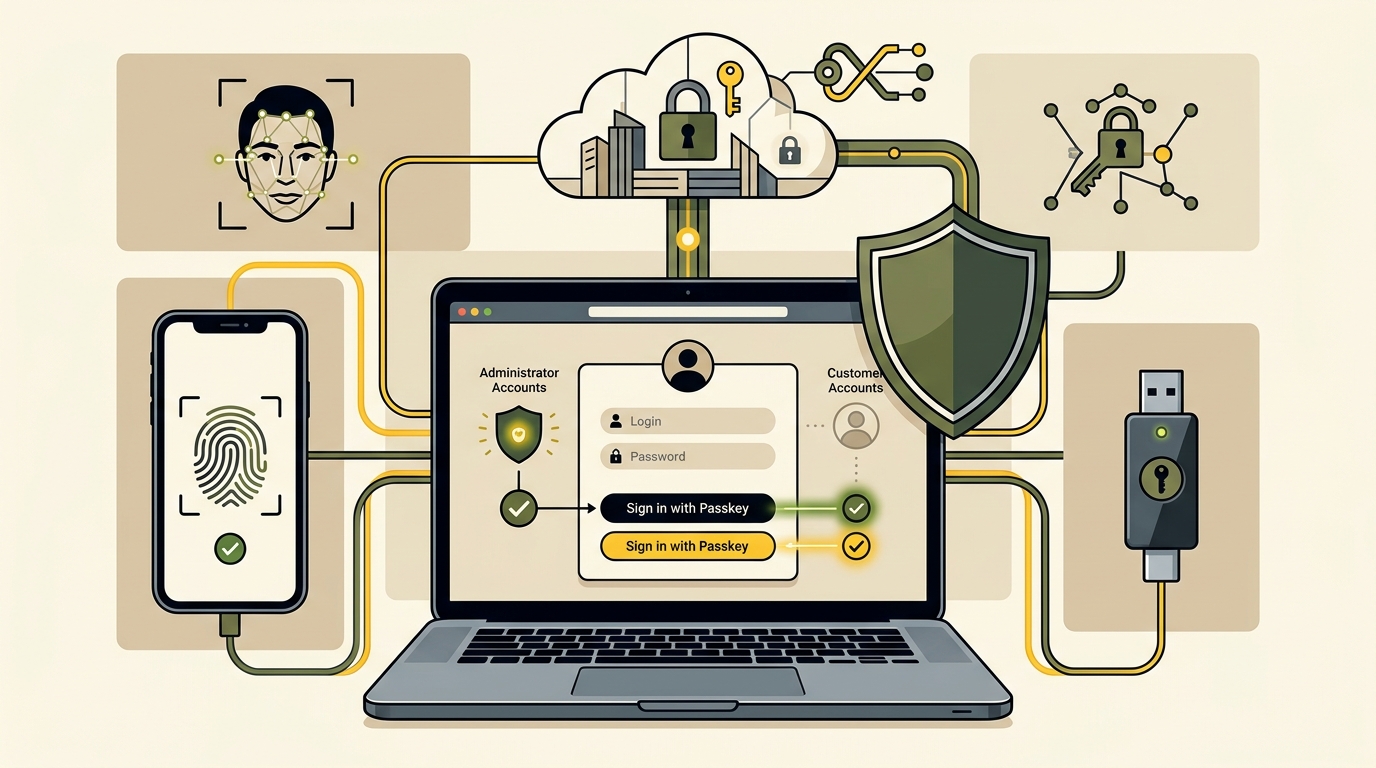
Passwords remain a weak point for businesses and customers. People reuse them, forget them, enter them on phishing pages, and expose them through compromised services. Businesses then spend time handling resets, lockouts, suspicious logins, and avoidable support requests.
Passkeys offer a different approach. Instead of asking a person to remember and transmit a shared secret, a passkey uses cryptographic credentials connected to a website or application. The user confirms the login with the same method used to unlock a trusted device, such as a fingerprint, facial recognition, device PIN, or security key.
For business websites, passkeys can improve security and reduce login friction, but they require planning. Owners must decide which accounts need them, how enrollment works, what recovery options remain, and how existing users will migrate.
How Passkeys Work and Where They Provide Value
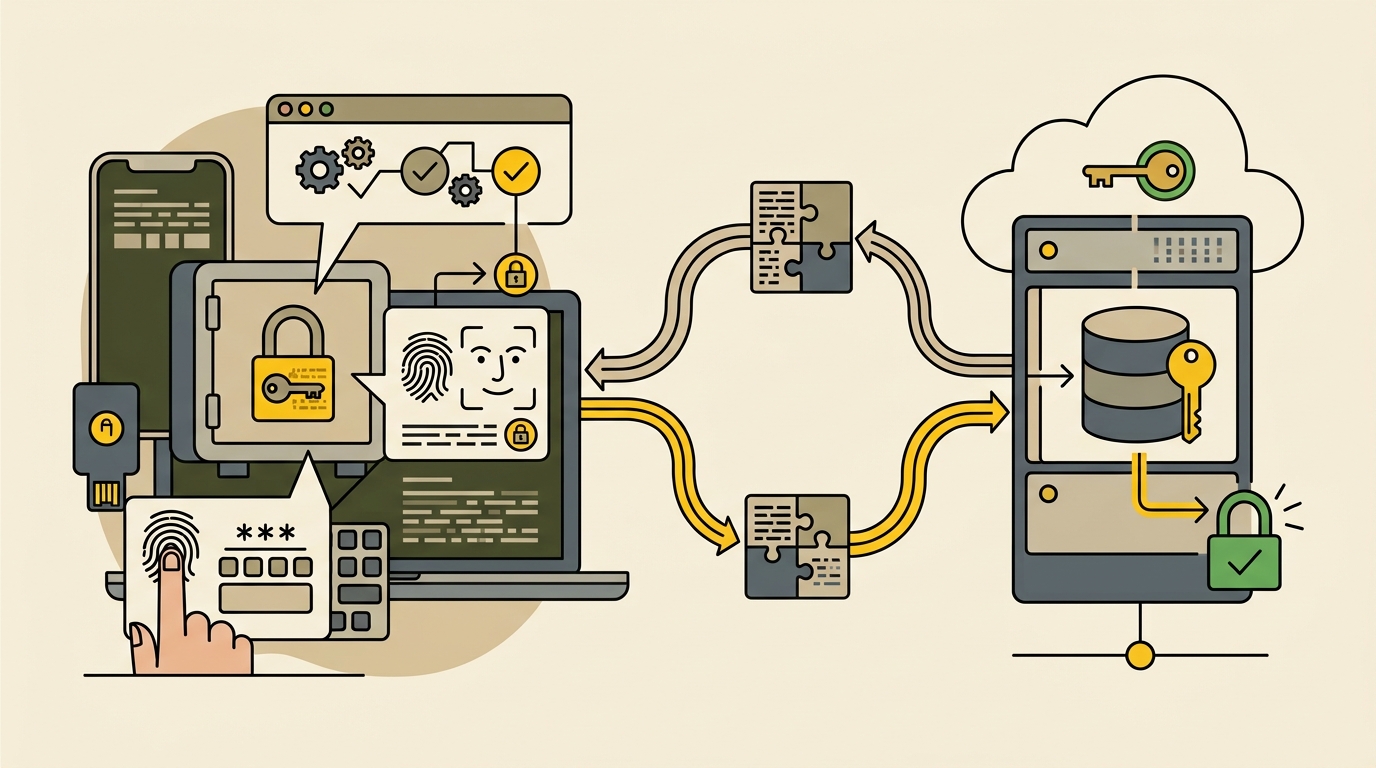
A passkey is based on public-key cryptography and the Web Authentication standard. When a user creates one, the authentication system generates a related pair of keys. The website stores the public key, while the private key remains protected by the user’s device, security key, or passkey provider. During login, the website sends a challenge that can be completed only by the corresponding private key.
The website does not need to receive the user’s fingerprint, facial scan, device PIN, or private key. Those remain part of the local device or authenticator process. The website receives proof that the correct credential was used for its domain.
Why Passkeys Resist Common Password Attacks
Traditional passwords can be copied and replayed. A person may enter one into a fraudulent website, allowing an attacker to try it on the real service. Reuse also lets one breach threaten several accounts.
Passkeys are created for a specific website or relying party. The authenticator checks the website relationship before completing authentication, which makes the credential resistant to ordinary credential phishing. A malicious lookalike domain cannot simply collect a reusable passkey secret because that secret is not typed into the page or sent to the server.
Passkeys Replace Shared Secrets with Cryptographic Proof
This design changes what a database breach can expose. Password systems store verifiers attackers may try to crack, while passkey systems store public keys that cannot sign in by themselves. Server security remains necessary, but the database no longer holds the same reusable secret.
Passkeys can also reduce support friction. Users do not have to create complex passwords, remember which variation they used, or request a reset every time they forget it. A smoother login can be especially valuable for customer portals, membership sites, ecommerce accounts, internal dashboards, and systems used infrequently.
Synced and Device-Bound Passkeys Serve Different Needs
Passkeys are not all stored the same way. Synced passkeys can be available across approved devices through a platform or password manager, making them convenient for consumer accounts and device changes.
Device-bound credentials remain tied to a particular authenticator. They can suit administrators, finance staff, and developers, but require careful issuance, backup, and replacement.
A business may use synced passkeys for customers and managed or hardware-backed credentials for privileged staff. The choice should reflect risk, support capacity, and the consequences of unauthorized access.
Where Passkeys Fit on a Business Website
Begin with accounts that expose valuable data or powerful actions. WordPress administrators can change site content, install code, create users, and sometimes reach customer or payment information. Store managers, support agents, authors, contractors, and hosting accounts may have different permissions but still deserve stronger authentication.
Customer passkeys make sense when users return regularly, store personal information, manage bookings, access paid content, or review orders. A simple informational site should instead prioritize administrator, hosting, domain, email, analytics, and payment accounts.
Prioritize Administrator and High-Impact Accounts First
Create an inventory of accounts that can affect the website. Include WordPress, the hosting control panel, domain registrar, DNS provider, business email, cloud storage, analytics, advertising accounts, payment services, source-code repositories, and connected automation tools. Record who owns each account, what authentication methods it supports, and how access is recovered.
Protecting the WordPress login while leaving the domain registrar or primary email account secured by a reused password is not a complete strategy. An attacker who controls email may reset other accounts, while control of DNS can redirect traffic. Treat identity security as a connected system.
This account inventory also supports safer automation. Before connecting an agent to business systems, define its permissions and protect the human accounts that authorize it. Our guide to AI agents for small business explains why narrowly scoped access and approval checkpoints are essential.
How to Roll Out Passkeys Without Locking People Out
A good rollout improves security without surprising users or overwhelming support. Begin in staging or with a limited internal pilot, then test compatibility, enrollment, sign-in, credential removal, recovery, and fallback behavior.
A custom application uses WebAuthn in the browser plus server-side logic for challenges, validation, credential storage, and account management. WordPress may use a maintained plugin, identity provider, or custom development. Review maintenance history, data handling, recovery, roles, and hosting compatibility.
Do not install authentication changes directly before a major core update or business event. Test them alongside your normal release procedure. The staging, backup, and rollback practices in our WordPress 7.1 readiness guide are equally relevant to login changes.
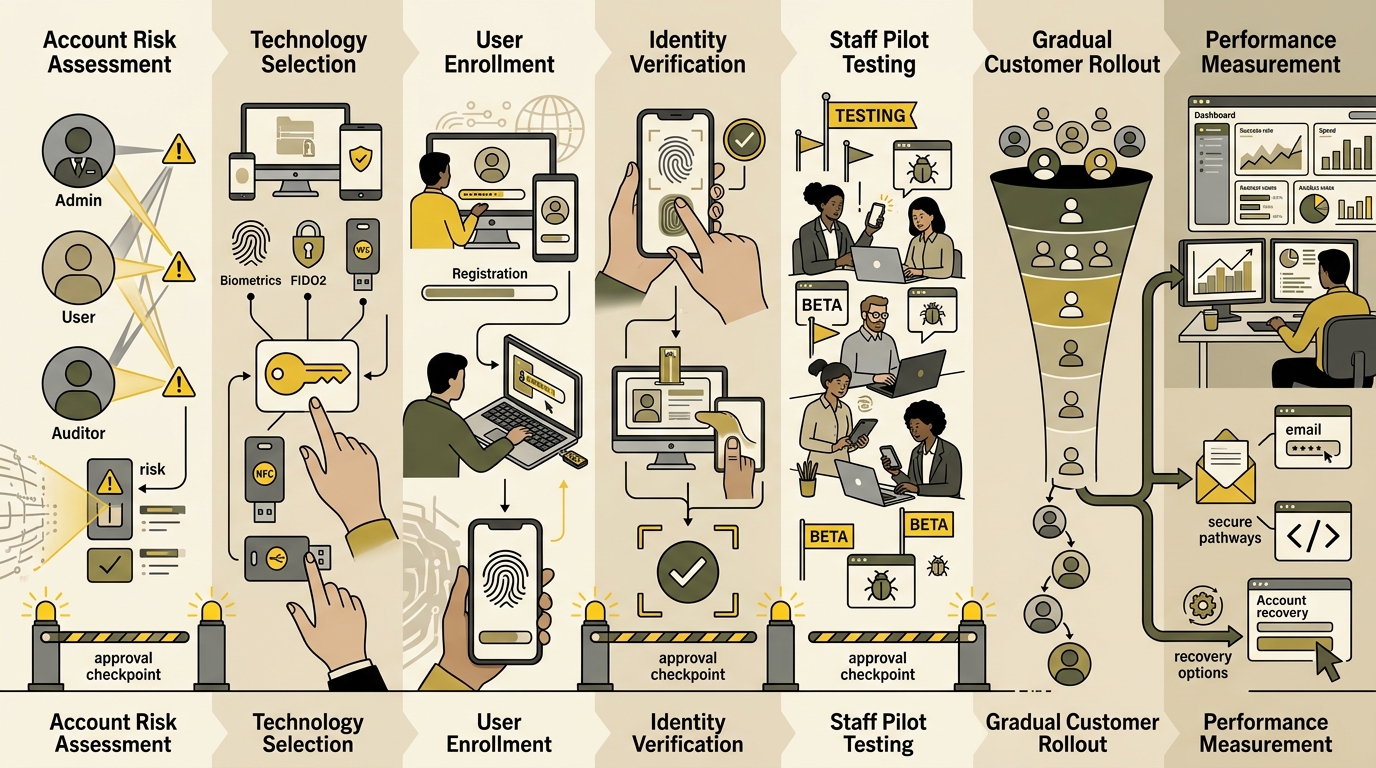
A Seven-Step Passkey Implementation Plan
- Map accounts and risks: Identify user roles, sensitive data, high-impact actions, existing login methods, and support requirements.
- Select the implementation: Compare a trusted identity provider, a maintained platform integration, and custom WebAuthn development based on risk and technical capacity.
- Design enrollment: Let authenticated users add a passkey from a clearly labeled security area and explain where it may be stored.
- Require verification: Reauthenticate users before adding or removing credentials, changing recovery details, or viewing sensitive security settings.
- Pilot with staff: Test multiple operating systems, browsers, phones, security keys, shared-device scenarios, and lost-device cases.
- Introduce users gradually: Offer passkeys alongside the existing login method before considering a passwordless-only policy.
- Measure and improve: Track enrollment, successful logins, fallback use, recovery requests, abandoned sessions, and support issues.
Use familiar language such as “Create a passkey” or “Sign in with a passkey.” Explain that users confirm with their device unlock method without implying the website stores biometric information.
Make credential management easy to find. Users should be able to add or remove passkeys and review changes. Send security notifications when credentials change.
Recovery and Fallback Security Determine Whether the Rollout Succeeds
Recovery is often the weakest part of a strong login system. An easily guessed question, weak email process, or unverified support request can bypass stronger authentication.
Define recovery before launch. Options may include another registered passkey, a managed recovery process, verified access to an existing trusted session, recovery codes stored offline, or identity checks appropriate to the account’s risk. Administrative and financial accounts should have stricter recovery than a low-risk community profile.
Keep at least two reliable access paths for critical business accounts. An owner might register passkeys on two approved devices or combine a platform passkey with a securely stored hardware key. Document what happens when a device is lost, an employee leaves, a contractor’s access expires, or the primary administrator is unavailable.
During migration, passwords may remain as a fallback. If they do, continue protecting them with rate limiting, breach detection, secure reset procedures, and strong multifactor authentication. A prominent passkey button does not neutralize an insecure password route.
Use the FIDO Alliance passkey resources and platform documentation when evaluating an implementation. Test the complete user journey rather than relying on a vendor claim that a product “supports passkeys.” Registration, authentication, recovery, credential management, and account linking all matter.
Passkeys can strengthen a business website because they remove the reusable secret at the center of password phishing. Their value, however, depends on disciplined implementation. Start with high-impact accounts, choose maintained technology, pilot across real devices, protect recovery, and expand only when users can succeed without assistance.
Security also supports discoverability and trust. A maintained website with protected administrative access is less likely to suffer injected spam, malicious redirects, or unauthorized content changes that damage visitors and search performance. That operational foundation complements the content and technical practices in our AI search optimization guide.